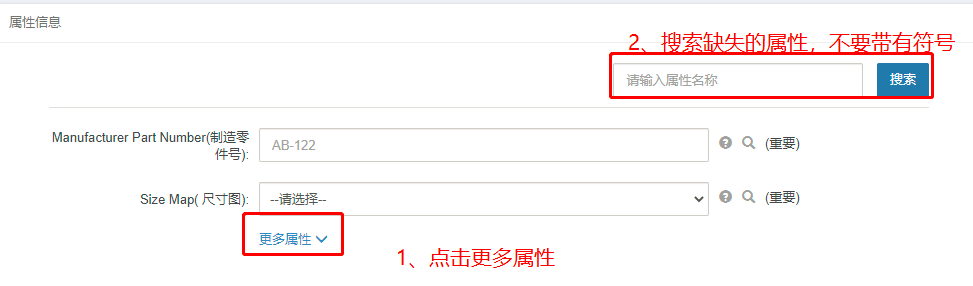
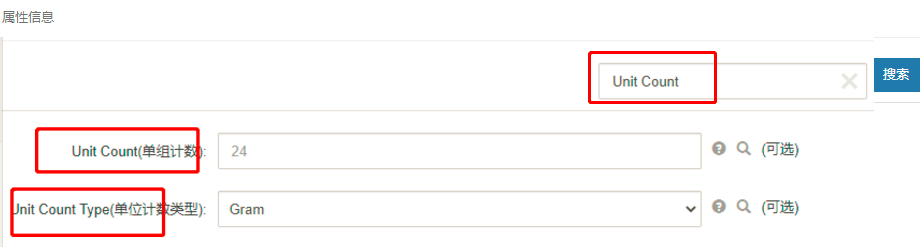
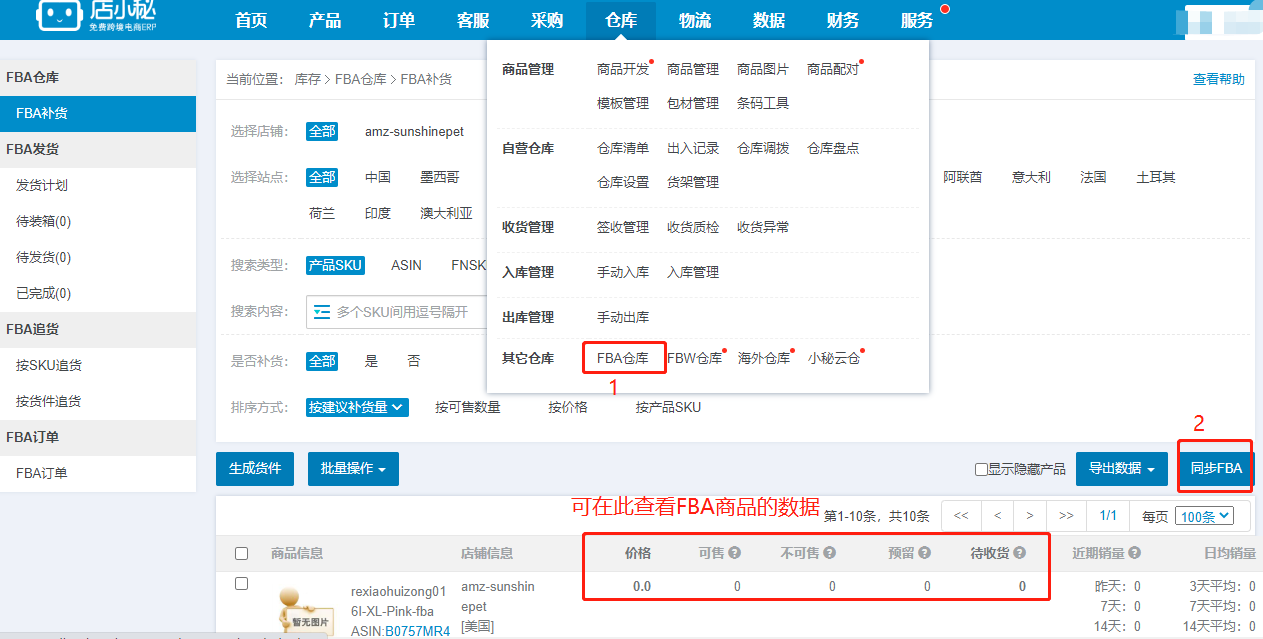
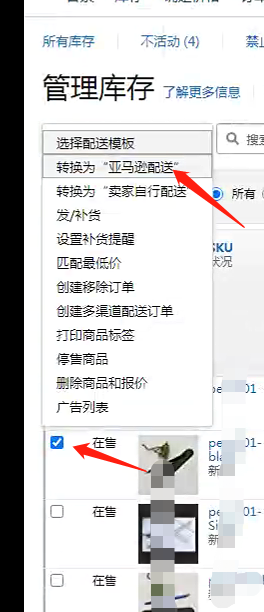
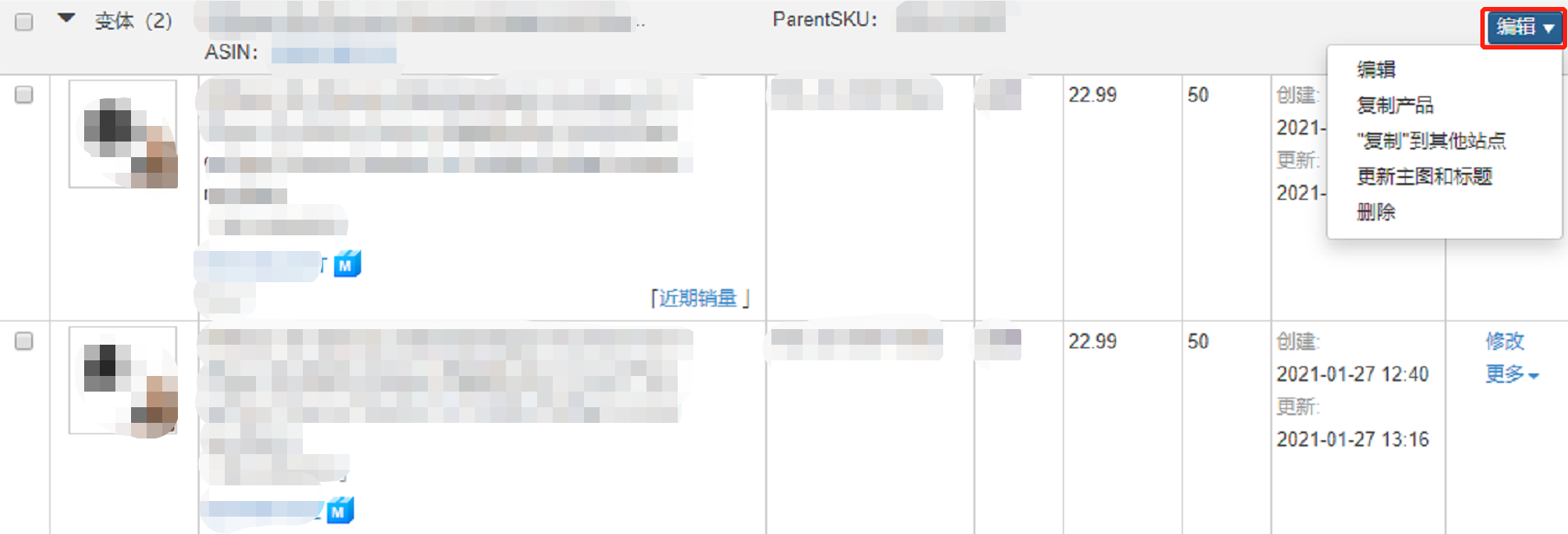
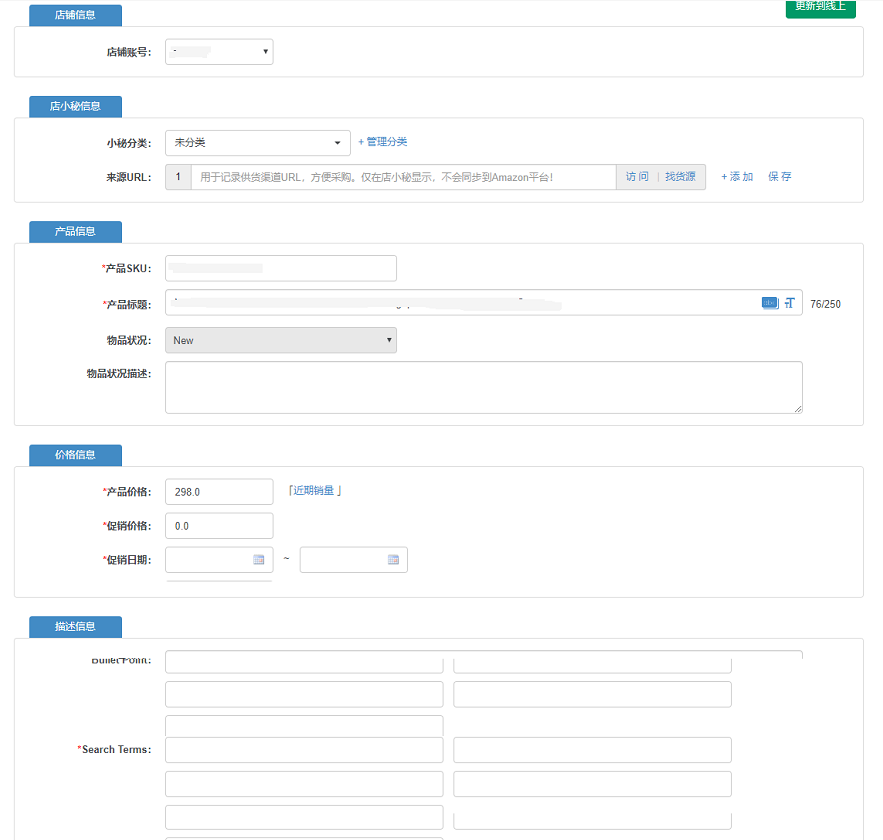
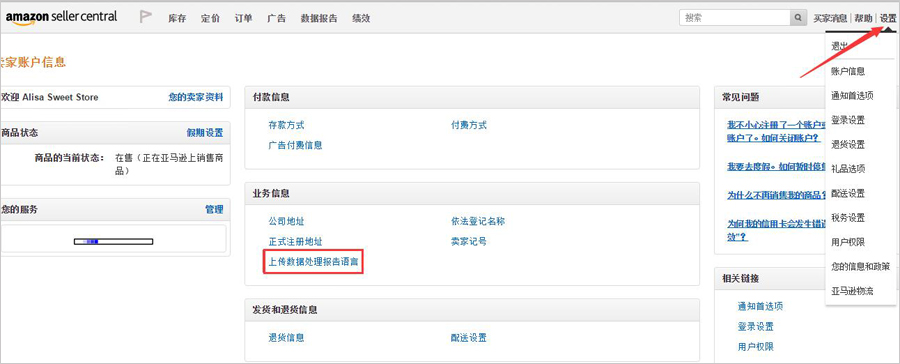
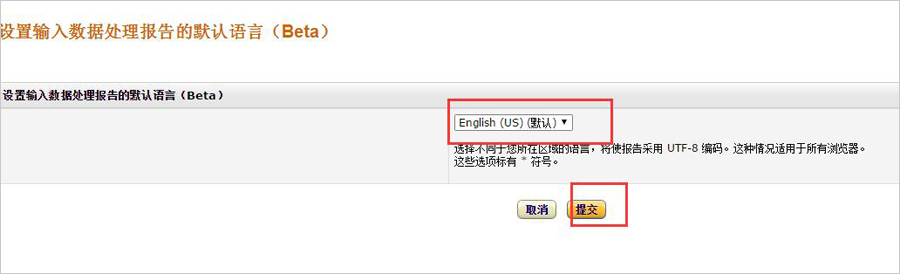
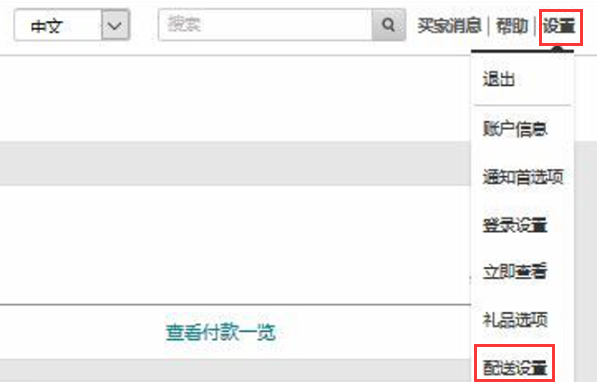
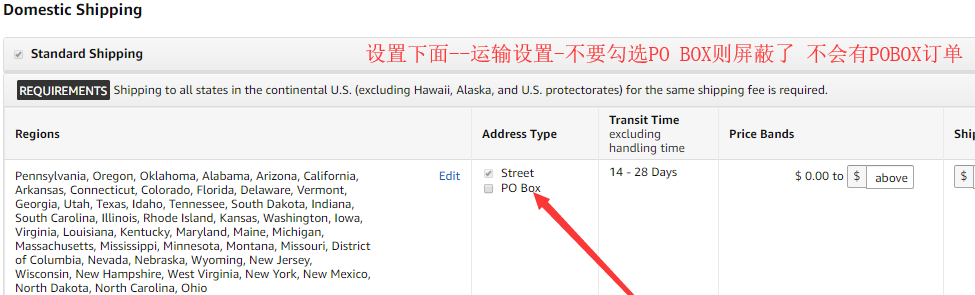
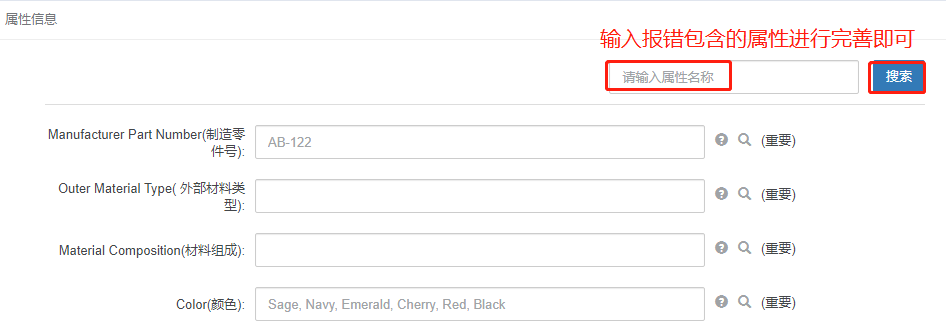
【提醒】:属性缺失错误的可按照如下图指示搜索
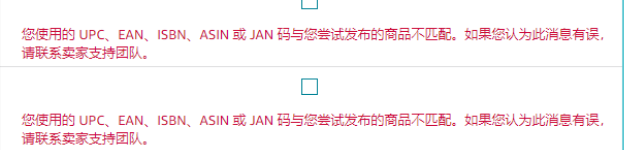
遇到这个报错可以尝试把品牌和制造商填写成相同的信息再重新提交, 如果还是报错可尝试更换UPC或品牌重新提交
亚马逊刊登常见报错:
【1】错误代码:8566
Product: 8566 SKU does not match any ASIN and the product data provided is not eligible for ASIN creation.
解决方案:
1、请更换UPC/EAN,UPC12位EAN13位,不同变种SKU对应UPC/EAN不可重复或已被使用。
2、Brand 和制造商无效,亚马逊对品牌管控比较严格不可乱写,如果没有品牌备案建议去备案。
亚马逊品牌要求请看 http://help.dianxiaomi.com/help/getRefreshContent.htm?id=1165
【2】错误代码:8571
8571 We have temporarily removed your ability to create new ASINS because an unusually high number of ASINs have been created from your account. However, you can continue to match your products against existing ASINs.Please refer to the ASIN Creation Policy page for more information on how to avoid receiving this error message. If you believe your creation privileges have been removed in error, please contact Seller Support by using the following link: https://sellercentral.amazon.co.uk/hz/contact-us.
解决方案:亚马逊平台暂时取消了您创建新ASIN的能力,因为从您的帐户创建的ASIN数量异常多,详情可咨询亚马逊平台客服
【3】错误代码:8560 Missing
解决方案:1、Missing Attributes 代表属性缺失,在产品属性搜索框 搜索Attributes后面的词语进行完善
注意:提示缺失其他属性,Missing Attributes XX,则查看缺失的属性XX是否填写或者填写是否正确,若填写正确仍然报错,则咨询亚马逊平台客服报错的属性XX是否存在问题
2、standard_product_id 【产品信息-产品ID】 或直接ctrl+F 搜索 产品ID UPC12位EAN13位 或者更新UPC
注意:如果是UPC豁免了,咨询亚马逊客服UPC豁免是否存在问题
3、product_type 【产品信息-产品类型】或直接ctrl+F 搜索 产品类型
4、department 【属性信息-Department】搜索属性名称
5、part_number【属性信息-Part Number】搜索属性名称
【4】错误代码:8541
Product: 8541 The SKU data provided is different from what's already in the Amazon catalog. The standard_product_id data provided matches ASIN B0BJBXQXCD, but the following data is different from what's already in the Amazon catalog: size (Merchant: '2XL' / Amazon: 'XXL'). If this is the right ASIN for your product, update your data to match what's in the Amazon catalog. If it's not the right ASIN, make sure that your data for standard_product_id is correct.
解决方案:1、请更换UPC/EAN,UPC12位EAN13位,格式错误或者已被使,不同变种sku不可重复
2、brand 和制造商无效,亚马逊对品牌管控比较严格不可乱写,如果没有品牌备案建议去备案。
3、存在相同的SKU数据,平台识别成同一个产品,但是有部分数据与已存在的产品有差异导致失败。可按照报错提示修改相关属性值,修改还是不行不可使用XX品牌创建产品,品牌受限,可咨询亚马逊平台客服
亚马逊品牌要求请看 http://help.dianxiaomi.com/help/getRefreshContent.htm?id=1165
【5】错误代码:8567
Product: 8567 SKU 1200007997 does not match any ASIN and contains invalid values for attributes required for creation of a new ASIN.
New ASIN creation requires the following attributes, for which this SKU provided invalid attribute value(s): metal_type.
Product: 8567 SKU 001234564256 does not match any ASIN and contains invalid values for attributes required for creation of a new ASIN.
New ASIN creation requires the following attributes, for which this SKU provided invalid attribute value(s): standard_product_id.
解决方案:provided invalid attribute value(s)后面的单词为无效的属性,standard_product_id为产品ID,其他报错单词请直接ctrl+F搜索完善即可
standard_product_id处理办法
1、请更换UPC/EAN,UPC12位EAN13位,不同变种sku对应UPC/EAN不可重复或者已被使用。
2、brand 和制造商无效,亚马逊对品牌管控比较严格不可乱写,如果没有品牌备案建议去备案。
亚马逊品牌要求请看 http://help.dianxiaomi.com/help/getRefreshContent.htm?id=1165
【6】错误代码:90205
Product: 90205 The value '016071761375' does not meet the minimum length limit for attribute '[gtin]'. in SKU: [6249200021]
Product: 90205 The value '6466462067915' does not meet the maximum length limit for attribute '[upc]'. in SKU: [20190723-0005]
解决方案:属性长度无效, UPC-12位 EAN-13位 PZN-7位 GTIN-14位 GCID-16位
【7】错误代码:99006 未生效
Product: 99006 A value is required in the "Anzahl" field because there are values in dependent fields.: [Bearbeitungszeit = "2"].
解决方案:required in the "xx" field 双引号里面的属性缺失,产品页面进行完善该属性
:Product: 99006 A value is required in the "Product Type" field because there are values in dependent fields.:
[Title = "Diaper Bag Backpack Unicorn Fashion 2019 Travel Baby Bag with Stroller Straps Large Capacity"].
解决方案:产品类型必填,点击产品编辑页面ctrl+F搜索产品类型进行完善
Product: 99006 A value is required in the "Quantity" field because there are values in dependent fields.: [Handling Time
解决方案:产品库存不可写0,请填写真实的库存数据
Product: 99006 A value is required in the "Color Map" field because there are values in dependent fields.: [Color = "RED"].
解决方案:Color Map必填,点击产品编辑页面ctrl+F搜索进行完善
Product: 99006 A value is required in the "Size Map" field because there are values in dependent fields.: [Size = "XXL"].
解决方案:Size Map必填,点击产品编辑页面ctrl+F搜索进行完善
【8】错误代码:90111 未生效
Product: 90111 Display Length 字段包含无效值:15cm. 值"15cm"不是有效的 DECIMAL。
解决方案:属性必填或填写的属性单位格式错误,点击产品编辑页面ctrl+F搜索下报错的内容进行修改完善
【9】错误代码:99003 未生效
99003 指定的商品变体主题缺少必填值: [Display Length = "15cm"], [display_dimensions_unit_of_measure = null], [Variation Theme = "Length"].
解决方案:变种主题的变种属性及属性值必填,格式无效,点击产品编辑页面ctrl+F搜索下【变种主题】进行修改
(比如colorsize变种主题,那么变种输入color、size,color 下面输入具体的颜色单词不要输入其他词语)
【10】错误代码:6039 未生效
Product: 6039 Merchant is not authorized to sell products under this restricted product group.
解决方案:您没有销售该产品的权限,详情可咨询亚马逊店铺后台官方客服http://sellercentral.Amazon.ae/gp/help/200333160
【11】错误代码:20009
20009 Your image was 36 pixels wide and 36 pixels in height. Please submit an image with the longest side being a minimum length of 110 pixels.
解决方案:您的图片大小是xxx,请保证图片大于110×110像素
【12】错误代码:80005
Product: 8005 You are attempting to change an identity attribute for this SKU. To proceed, please delete this SKU and recreate the SKU with the appropriate identity attribute.
For more information and detailed instructions, see: http://sellercentral.Amazon.co.uk/gp/help/23191
解决方案:upc不可重复使用,不同产品需要进行更换upc,比如美国用此UPC然后创建引用此产品发布到其他的站点UPC需要进行更换
【13】错误代码:8026
Product: 8026 You are not authorized to list products in this category. To sell products in this category you need to obtain approval by following the instructions given here:http://sellercentral.Amazon.ae/gp/help/200333160
解决方案:您无此类目发布权限,请更换下分类。或者申请详情查看 http://sellercentral.Amazon.ae/gp/help/200333160
【14】错误代码:5561
Product: 5561 You may not use trademarked terms in the keywords attribute. Please review our prohibited seller activities and actions at https://sellercentral.Amazon.com/gp/help/help.html?itemID=200386250
解决方案:关键词中不能有商标品牌用语,请点击产品编辑页面最下方Search Tearm位置进行修改
【15】错误代码:20014
Image: The submitted image is invalid or corrupted
Product: 20014 The submitted image is invalid or corrupted.
解决方案:图片无法正常打开或格式不符1、需要.jpg格式 2、可复制图片链接到其他的浏览器上面无法打开需要重新添加图片
【16】错误代码:300060
300060 We could not access the media at URL https://wxalbum-XXX.jpg. Ensure that the URL is correct and the media is publicly accessible.
解决方案:图片无法正常打开或格式不符1、需要.jpg格式 2、可复制图片链接到其他的浏览器上面无法打开需要重新添加图片
【17】错误代码:8575
Product: 8575 We have temporarily removed your ability to submit listings (creating new offers or new ASINs)
because an unusually high number of listings have been created from your account. Please refer to the ASIN Creation Policy page
(https://sellercentral.Amazon.com/gp/help/201844590) for more information on how to avoid receiving this error message.
If you believe your listing creation privileges have been removed in error, please contact Seller Support by using the following link: https://sellercentral.Amazon.com/cu/contact-us.
解决方案:当前店铺刊登额度已达到上限,请联系Amazon官方业务经理了解提升额度相关知识
【18】错误代码:20000
Product: 20000 URL http://50_.jpg の画像にアクセスできませんでした。正しいURLと公的にアクセス可能な画像を提供するようにしてください。
指定したURLが正しく、外部からの参照に制限のないURLかどうかを確認してください。 300060 URL http://0 の画像ファイルにアクセスできませんでした。
解决方案:图片无法正常打开或格式不符1、需要.jpg格式 2、可复制图片链接到其他的浏览器上面无法打开需要重新添加图片
【19】错误代码:90117
Product: 90117 The Product Description field contains an invalid value: Features:
解决方案:【产品描述】过长、特殊符号、无效标签代码,请删除无效符号、表情符或无效标签,点击源码删除无效代码。
【20】错误代码:99001
Product: 99001 A value is required for the "Product Type" field.
Product: 99001 A value is required for the "Feed Product Type" field.
解决方案:产品类型必填,点击产品编辑页面【属性信息】搜索双引号里面的报错单词
Product: 99001 A value is required for the "Manufacturer Part Number" field.
解决方案:产品属性必填,点击产品编辑页面【属性信息】搜索Manufacturer Part Numbe进行完善
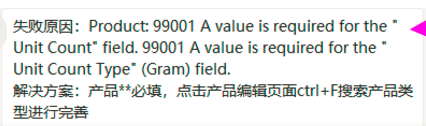
Product: 99001 A value is required for the "Unit Count" field
解决方案:产品属性必填,点击产品编辑页面【属性信息】搜索Unit Count进行完善售卖单位(数量+空格+单位:1 piece)
Product: 99001 A value is required for the "Department" field.
解决方案:产品属性必填,点击产品编辑页面【属性信息】搜索Department进行完善
Product: 99001 A value is required for the "Part Number" field.
解决方案:产品属性必填,点击产品编辑页面【属性信息】搜索Part Number进行完善
Product: 99001“商品说明文"必要です
解决方案:产品描述必填,点击产品编辑页面完善产品描述再发布
其他统一报错解决方案:
解决方案:产品属性必填,点击产品编辑页面【属性信息】搜索【双引号里面的单词】进行完善
【21】错误代码:8572
8572 You are using UPCs, EANs, ISBNs, ASINs, or JAN codes that do not match the products you are trying to list.
Using incorrect UPCs, EANs, ISBNs, ASINs or JAN codes is prohibited and it can result in your ASIN creation privileges being suspended or permanently removed.
Please ensure you are always using the appropriate UPC, EAN, ISBN, ASIN or JAN code when listing a product.
If you have reached this message in error, please contact Seller Support using the following link: https://sellercentral.Amazon.com/hz/contact-us.
For more information, refer to the ASIN Creation Policy Help Page – https://sellercentral.Amazon.com/gp/help/201844590
解决方案:
1、请更换UPC/EAN,UPC12位EAN13位,不同变种sku对应UPC/EAN不可重复或者已被使用。
2、brand 和制造商无效,亚马逊对品牌管控比较严格不可乱写,如果没有品牌备案建议去备案。
亚马逊品牌要求请看 http://help.dianxiaomi.com/help/getRefreshContent.htm?id=1165
【22】brand 无品牌权限、品牌错误
Product: You are not authorized to list products under this brand. To sell products under this brand,
please try adding one of your SKUs under this brand through the 'Add a Product' page and follow the application instructions.
1、请更换UPC/EAN,UPC12位EAN13位,不同变种sku对应UPC/EAN不可重复或者已被使用。
2、brand 和制造商无效,亚马逊对品牌管控比较严格不可乱写,如果没有品牌备案建议去备案。
亚马逊品牌要求请看 http://help.dianxiaomi.com/help/getRefreshContent.htm?id=1165
【23】错误代码:8542
Product: 8542 The SKU data provided conflicts with the Amazon catalog. The standard_product_id
解决方案:
1、请更换UPC/EAN,UPC12位EAN13位,不同变种sku对应UPC/EAN不可重复或者已被使用。
2、brand 和制造商无效,亚马逊对品牌管控比较严格不可乱写,如果没有品牌备案建议去备案。
亚马逊品牌要求请看 http://help.dianxiaomi.com/help/getRefreshContent.htm?id=1165
【24】限量报错
[SKU]: This SKU does not match any ASIN, and new product ASIN can not be created with this product information. [SKU]:
The authority to create a new product detail page (ASIN) has been temporarily suspended because a lot of product details page (ASIN) was created with your account.
However, matching (matching) between the existing ASIN and the product can continue without trouble.
For details on how to avoid displaying this error message, please see the policy on product detail page (ASIN) creation.
解决方案:上传数量到达上限,卖家每周可上的数量是一定的,尤其是新卖家,可联系Amazon官方客服咨询
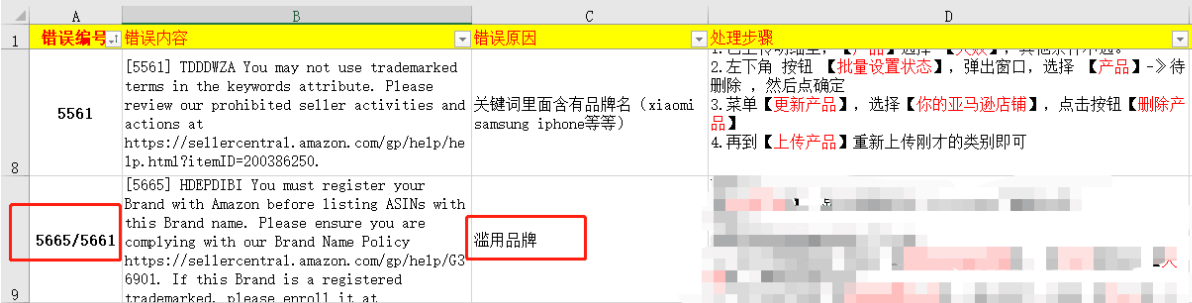
【25】错误代码:5665/5661/5461
【5665】*** you must register your Brand Wish Amazon before listing ASINs with this Brand name.
please ensure you are complaying Wish our Brand Name Policy https://sellercentral.Amazon.com/gp/help/G36901.
【5441】You may not create new ASINs for the brand Gossiribbn. If you believe the product you want to sell is not currently in the Amazon catalog and should be added as a new ASIN, please copy and paste the following URL in a separate window and complete the form: https://sellercentral.amazon.com.au/hz/approvalrequest?restrictionScope=CONTRIBUTION&brandName=Gossiribbn&brandId=1810555&operationFilter=create_asin
解决方案:请求批准XX品牌,您输入的品牌名称尚未获得亚马逊批准,品牌不可用,滥用品牌,如果没注册品牌或者申请白名单,请咨询Amazon官方客服确认,品牌要如何填写,再发布
点此查看相关的亚马逊品牌介绍:http://help.dianxiaomi.com/pre/getContent.htm?id=1165
【26】错误代码:5561
【5561】*** You may not use trademarked terms in the keywords atttibute.Please review our prohibited seller activities and actions at http://sellercentral.Amazon.com/gp/help/help.html?itemID=200386250
解决方案:关键词里面含有品牌名(xaiomi、samsung、iphone等),核实更改后,再提交
【27】错误代码:99001
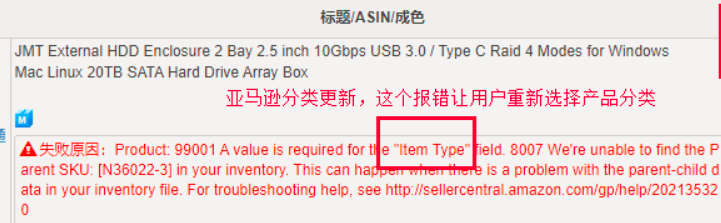
Product: 99001 A value is required for the tem Type field. 8007 We're unable to find the Parent SKU: [N36022-3] in your inventory.
解决方案: 亚马逊分类更新,遇到这个报错重新选择产品分类